At a Glance
| Feature | Details |
|---|---|
| What they are | Minecraft’s official virtual currency, used to buy premium Marketplace content |
| Where to buy them | In-game, through your platform’s store, or directly on the Minecraft website |
| What you can spend them on | Worlds, Add-Ons, Skin Packs, Texture Packs, and Mash-up Packs |
| Shared across devices | Yes, tied to your Microsoft account on any Bedrock device |
Minecoins are Minecraft’s official in-game virtual currency. They let you purchase premium content on the Minecraft Marketplace safely and securely, including worlds, Add-Ons, skin packs, and more. Minecoins can be bought directly within the game or through your platform’s store, and your balance is shared across any device where you play Minecraft: Bedrock Edition using the same Microsoft account.
Think of Minecoins as gift card credit for the Minecraft Marketplace. You buy a batch once, and then spend it on whatever content catches your eye. To understand exactly what the Marketplace is and how it fits together, check out our guide on what the Minecraft Marketplace is and how it works.
There are three ways to get Minecoins on Minecraft Bedrock Edition, and all of them are official and secure.
Open Minecraft, go to the Marketplace tab, and look for the Minecoins balance in the top corner. Tapping it opens a menu where you can purchase Minecoin packs in different sizes. This charges your platform account (Microsoft, Xbox, PlayStation, Nintendo, or mobile app store) directly.
You can also buy Minecoins through the Microsoft Store, Xbox Store, PlayStation Store, Nintendo eShop, or your mobile app store, depending on which device you play on. These purchases sync automatically with your Minecraft account.
You can also top up your Minecoins balance directly through the official Minecraft website without opening the game first. This is useful if you want to buy Minecoins as a gift or top up before you start playing.
| Buy Minecoins Online |
|---|
| You can top up your Minecoins balance directly through the official Minecraft store. This is the safest way to buy Minecoins online and works with your existing Microsoft account. |
Once you have a Minecoins balance, you can spend it on any premium content in the Minecraft Marketplace. The Marketplace includes several different product types, including Worlds, Add-Ons, Skin Packs, Texture Packs, and Mash-up Packs. Prices vary by product, so your Minecoins go further on smaller items and get used up faster on bigger, more feature-rich worlds.
You can browse everything we have available on the Dodo Studios Marketplace page, which includes over 400 products across every category. Here are two examples that show how far your Minecoins can go:
ONE BLOCK! is a complete survival world where you start on a single block that regenerates with random drops. At 490 Minecoins, it is an affordable way to spend a small Minecoins top-up on a full world with a built-in tutorial for players who are new to the gamemode.

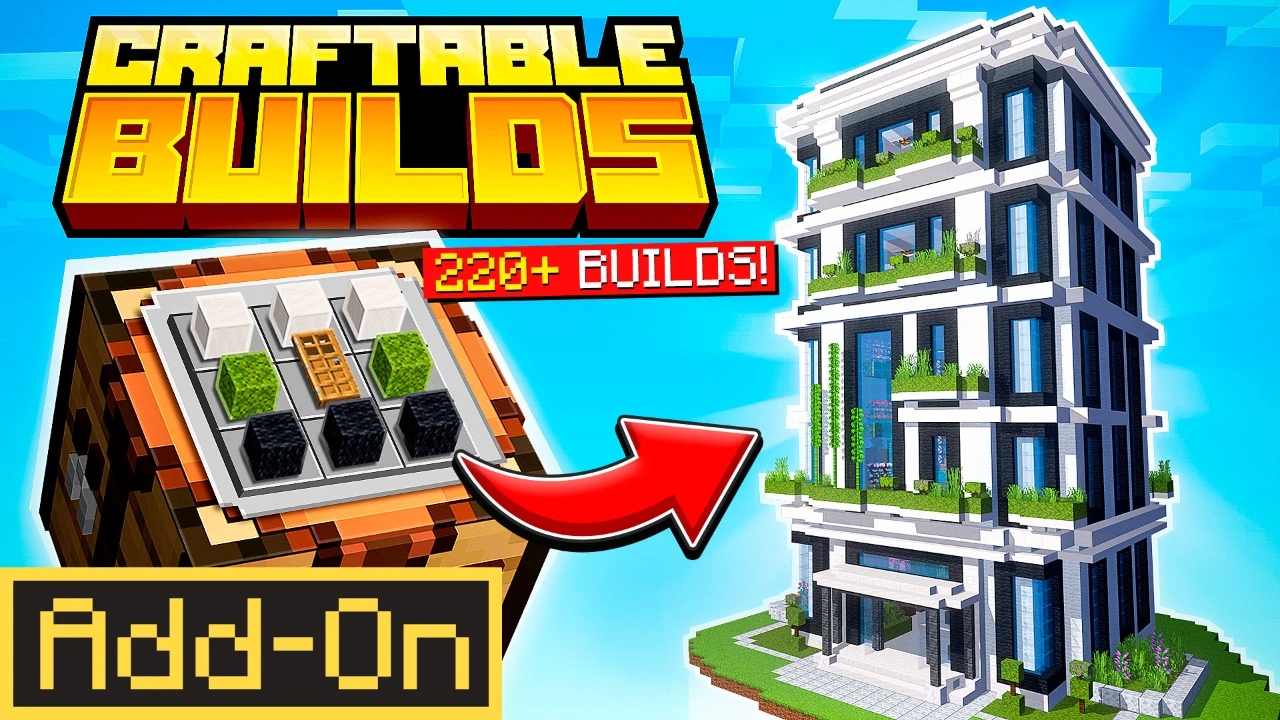
The Craftable Builds Add-On lets you craft and place over 220 structures, from houses to rollercoasters, directly in your own survival world. At 660 Minecoins, it is a good example of how Add-Ons that work across all your worlds tend to cost a bit more than a single world.
Not every product costs Minecoins. If you want to try the Marketplace before spending anything, take a look at our guide on free products on the Minecraft Marketplace, including Dodo Studios’ own free map with over 14 million downloads.