
At a Glance
| Feature | Details |
|---|---|
| What TNT is | An explosive block that destroys terrain and damages nearby entities |
| How to craft it | 5 Gunpowder + 4 Sand (or Red Sand) in a crafting table |
| How to detonate it | Flint and Steel, a redstone signal, fire, or lava |
| Common vanilla uses | Fast mining, redstone cannons, traps, farms, and PvP |
| Marketplace upgrade | TNT+ Pack by Dodo Studios adds new TNT types, like giant explosions and black holes, to your own world |
TNT is one of the most versatile blocks in Minecraft Bedrock Edition. At its core, it is an explosive that destroys blocks and damages anything caught in the blast, but players have found dozens of creative uses for it beyond simple destruction: fast mining, redstone-powered cannons, traps, farms, PvP tactics, and large-scale terrain art. Whether you want raw destruction or clever engineering, TNT is one of the most flexible tools in the game.
You can craft TNT using 5 Gunpowder and 4 Sand (or Red Sand) in a crafting table. Gunpowder drops from Creepers, Ghasts, and Witches, so you will need to hunt a few of those down first. TNT also appears naturally in a handful of generated structures, including Desert Temple traps and Ancient City loot, so exploring can occasionally save you the crafting trip.
The simplest method. Right-click or interact with a placed TNT block while holding Flint and Steel. It will start flashing white and explode after a short fuse, so make sure you have time to get clear.
TNT ignites the moment it receives a redstone signal, whether from a lever, button, pressure plate, or redstone block. This is the method used in almost every TNT cannon or trap, since it lets you trigger the explosion remotely and safely.
Any contact with fire or lava will set off TNT instantly, with no fuse delay. This is useful for automatic traps, but it also means you should never place TNT near lava by accident.
TNT blocks placed next to each other will chain-detonate: setting off one triggers all the others nearby. This is how large TNT cannons and mining charges work, letting you clear huge amounts of terrain from a single trigger.
TNT clears large volumes of stone, dirt, and sand far faster than mining by hand. It is commonly used to carve out flat building areas, dig canals, or excavate quarries. Keep in mind that TNT destroys most item drops in the blast, so it is better for clearing terrain than for gathering resources.
Redstone engineers build TNT cannons that launch a block of TNT (or even a player) across long distances using chained explosions. These builds range from simple to incredibly complex and are a popular showcase of redstone skill.
Hidden TNT triggered by a tripwire or pressure plate makes an effective base defense against intruders or hostile mobs. Many players build TNT traps around the entrance to a base or vault to protect their loot.
Some automated farms use TNT to clear mob drops in bulk or reset spawning platforms, especially in builds designed around the Wither or large mob grinders.
On multiplayer servers, TNT is a go-to tool for breaking through enemy bases, especially ones built from blast-vulnerable materials like wood or cobblestone. Obsidian and other blast-resistant blocks are the standard defense against this.
Some players use carefully placed TNT to blow out detailed shapes or patterns in terrain, a technique sometimes called TNT art. It takes planning, but the result is a fast way to sculpt large-scale designs.
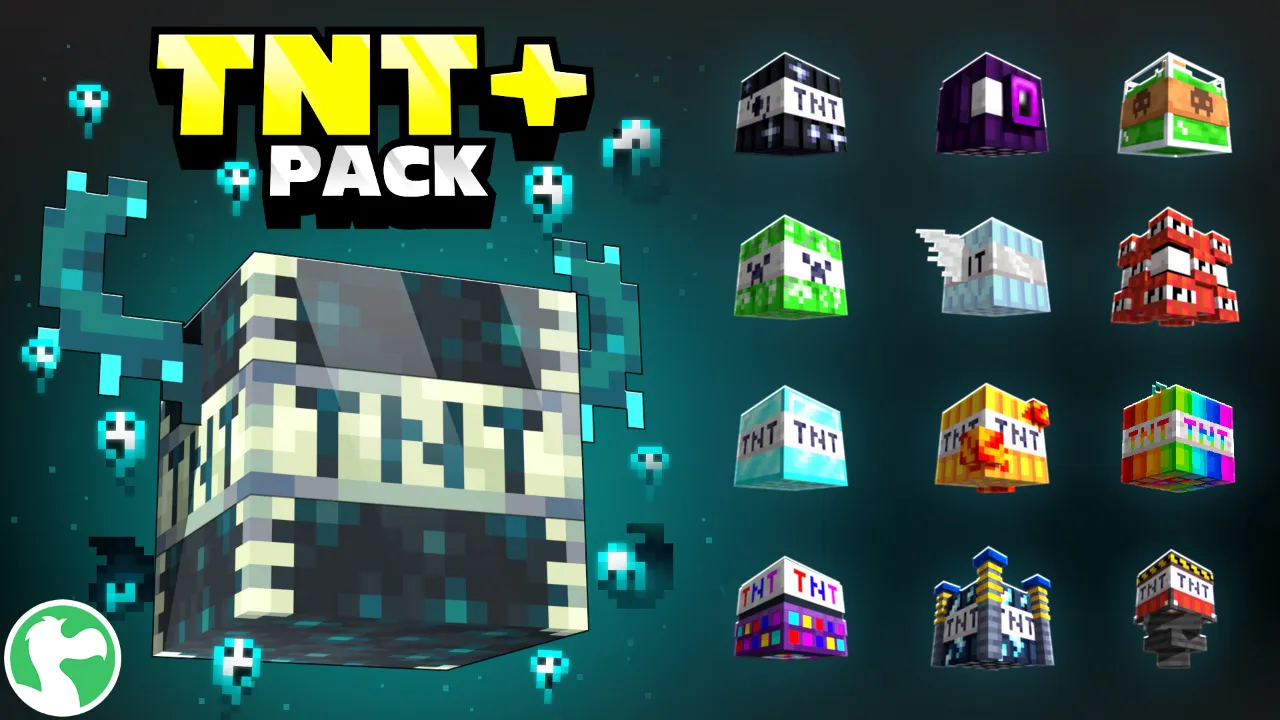
Vanilla TNT is powerful, but it only does one thing: explode. If you want a lot more variety, from a TNT block that spawns a black hole to one that starts a disco party, Dodo Studios’ TNT+ Pack is a Dynamic World that applies directly to your own survival world, so there is no need for a separate map or creative mode.
The TNT+ Pack takes TNT far beyond a simple explosion. Craft an extremely big TNT for maximum destruction, one that makes mobs float, one that spawns a black hole, or one that starts an impromptu disco party. Every new TNT type is craftable and can be set off alone or with friends. The pack also includes 5 TNT-themed skins.
Best for: Players who want explosion variety without leaving their own survival world.